Skip to content
KVai
Our school ERP· KVai

VidyaOne: the school ERP where AI does the repeat work

11 apps in one login for the office, the principal, teachers, parents, students, the gate and the school bus. Attendance, fees, exams and notices in Hindi. Your staff only check and approve.

KVai notebook

In one login

  • Admissions and students
  • Attendance by voice
  • Fees by UPI with receipts
  • Exams and report cards
  • Staff and payroll
  • Parents on WhatsApp

11 apps. 38 modules. 30 AI tasks.

VidyaOne

School ERP by KVai

One school. One app. AI does the repeat work.

Everything a school runs on, in one login. Admissions, attendance, fees, exams, staff and parents. AI does the repeat work like attendance by voice, fee reminders and report card remarks. The school staff only check and approve.

apps
11
apps
modules
38
modules
AI tasks
30
AI tasks
VidyaOne School Admin ERP
1/11

School Admin ERP

Web

Principal, office and accounts

  • Admissions, students and staff in one place
  • Fees, receipts, concessions and accounts
  • Exams, report cards and certificates
  • UDISE+ and board exports checked before you send

For the management

For teachers

For parents and students

Bus and website

Behind it all

11 apps, one login

An app for everyone in the school

The office, the principal, teachers, parents, students, the gate and the school bus. Each one gets the screen made for their work.

For the management

Run the school from one screen

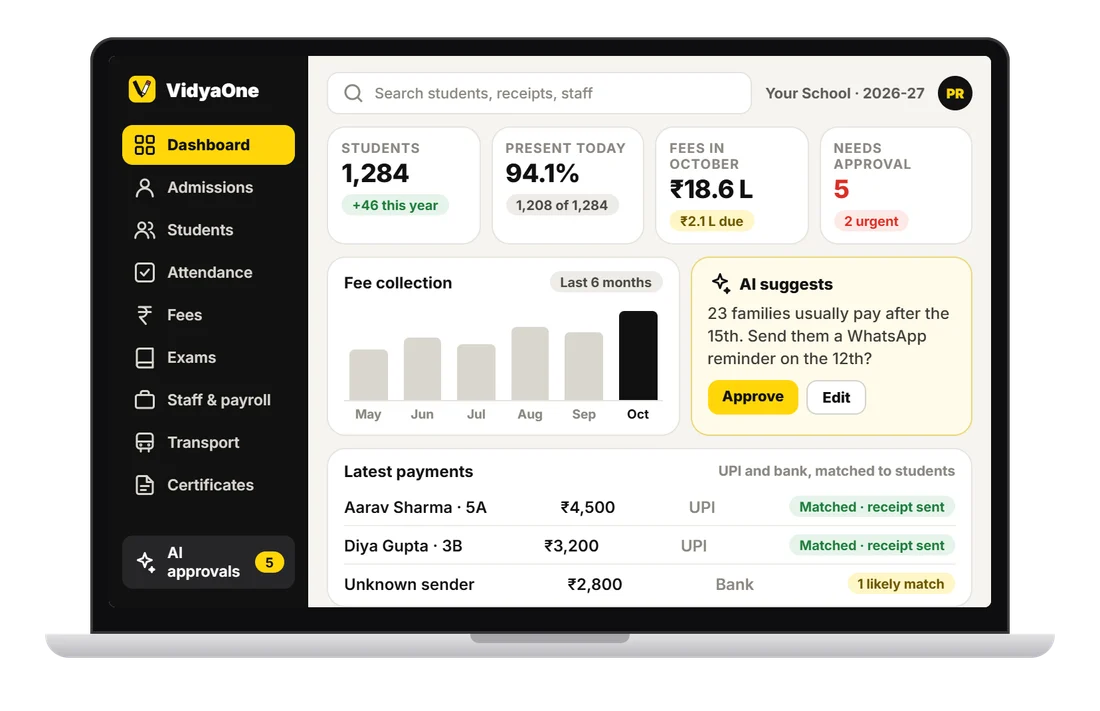
VidyaOne School Admin ERP on Web

School Admin ERP

Web

Principal, office and accounts

  • Admissions, students and staff in one place
  • Fees, receipts, concessions and accounts
  • Exams, report cards and certificates
  • UDISE+ and board exports checked before you send
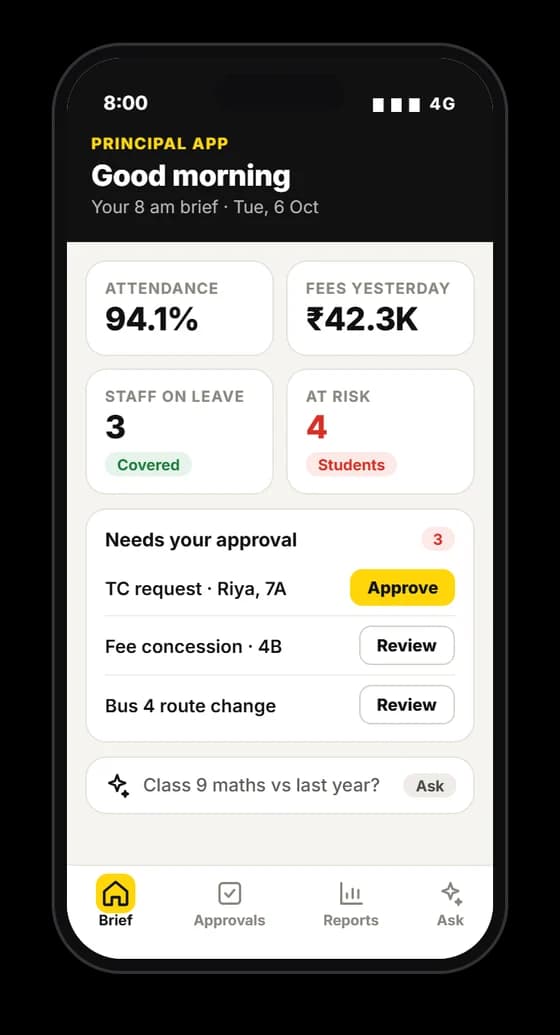
VidyaOne Principal App on Android and iPhone

Principal App

Android and iPhone

Owner and principal

  • 8 am brief: attendance, fees and staff on leave
  • One tap approvals for TC, leave and concessions
  • Alerts for students who may drop out
  • Ask in plain words and get a chart
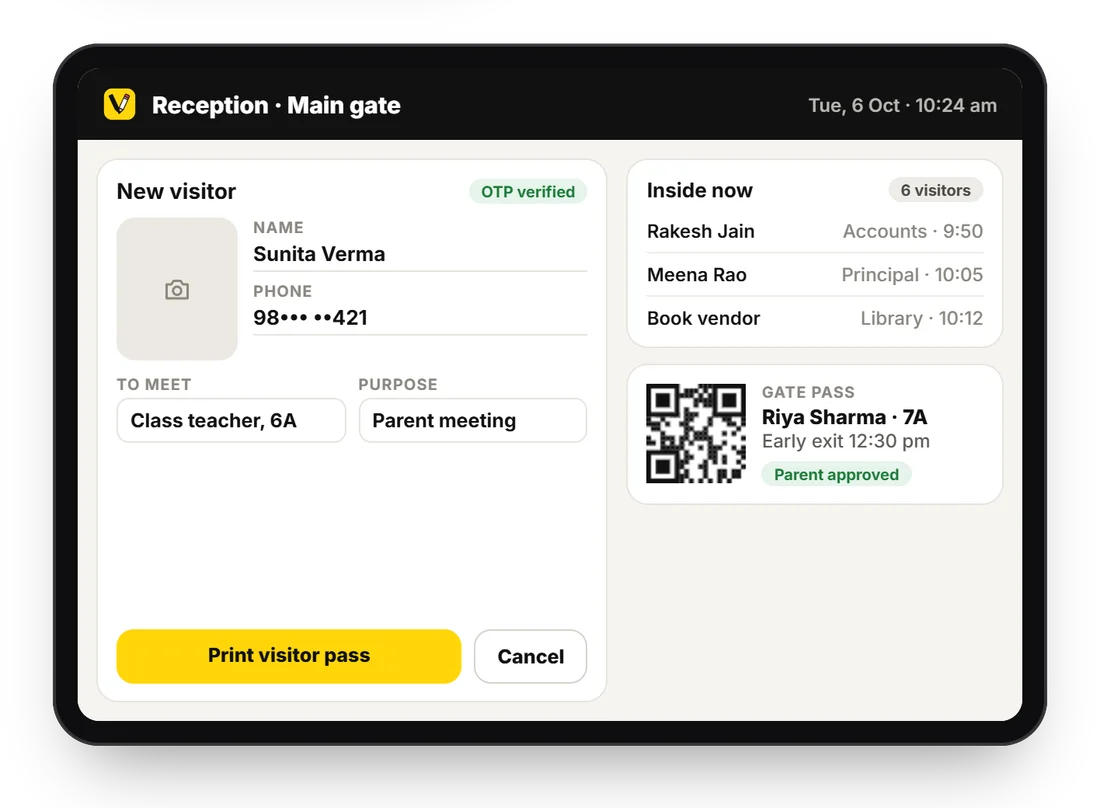
VidyaOne Gate and Reception Kiosk on Tablet

Gate and Reception Kiosk

Tablet

Guard and front office

  • Visitor entry with photo and phone OTP
  • Gate pass with parent approval
  • QR or face scan marks arrival
  • Parents alerted when a child leaves early

For teachers

On the phone in class. On a laptop at home.
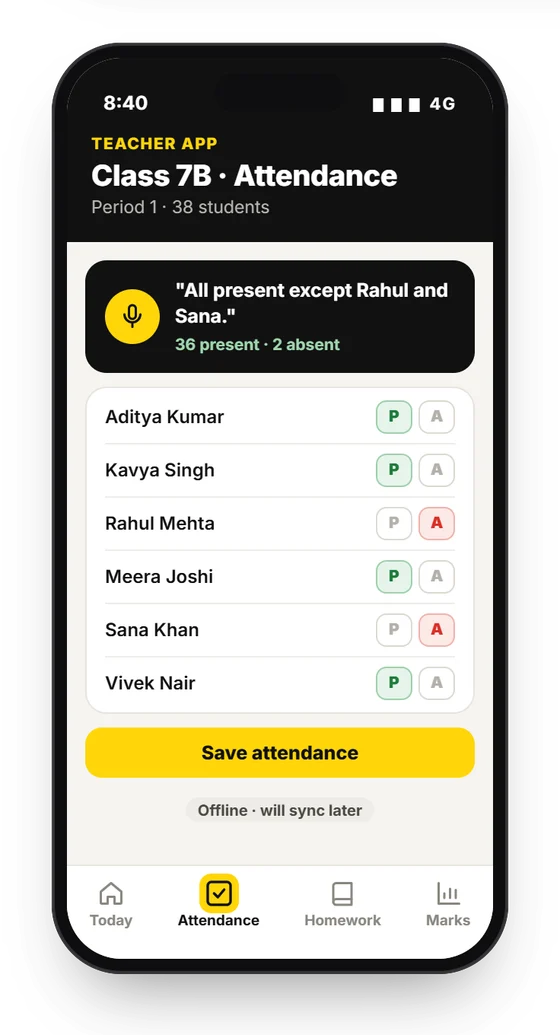
VidyaOne Teacher App on Android and iPhone

Teacher App

Android and iPhone

Every teacher

  • Attendance in 3 taps or by voice
  • Homework and worksheets drafted by AI
  • Marks read from a photo of the award sheet
  • Works offline. Syncs later.
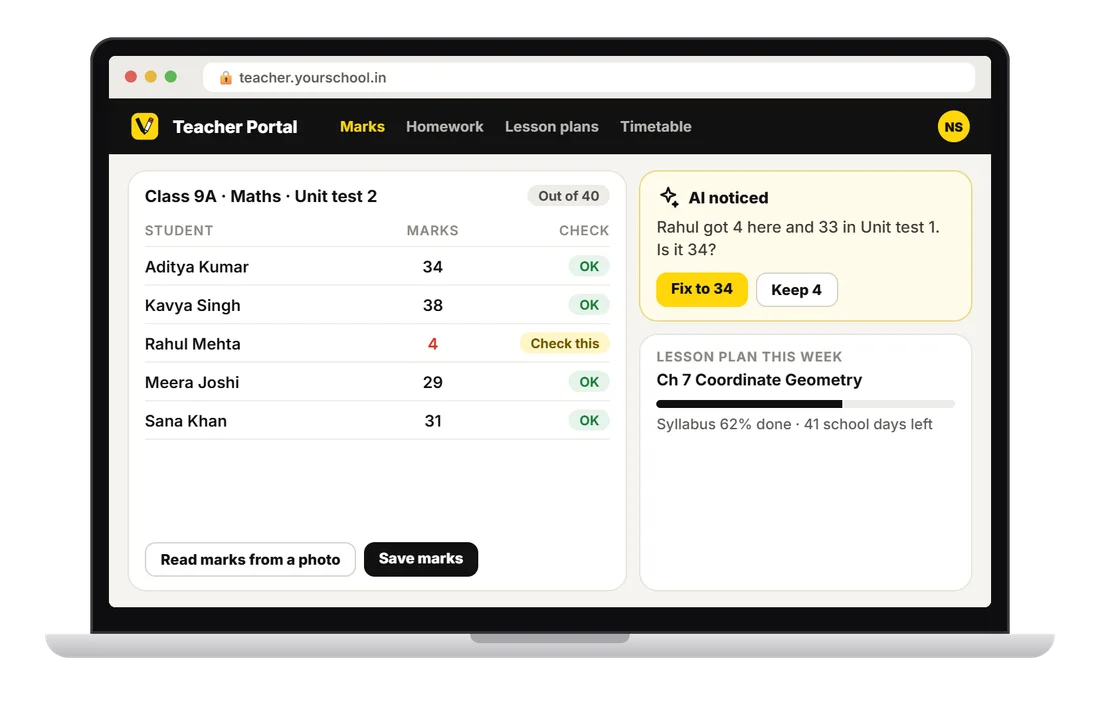
VidyaOne Teacher Portal on Web

Teacher Portal

Web

Teachers on a laptop

  • Marks entry with a check for numbers that look wrong
  • Homework, lesson plans and the syllabus tracker
  • Timetable and substitute periods
  • Add it to the home screen like an app

For parents and students

An app, a web page or plain WhatsApp. The parent picks.
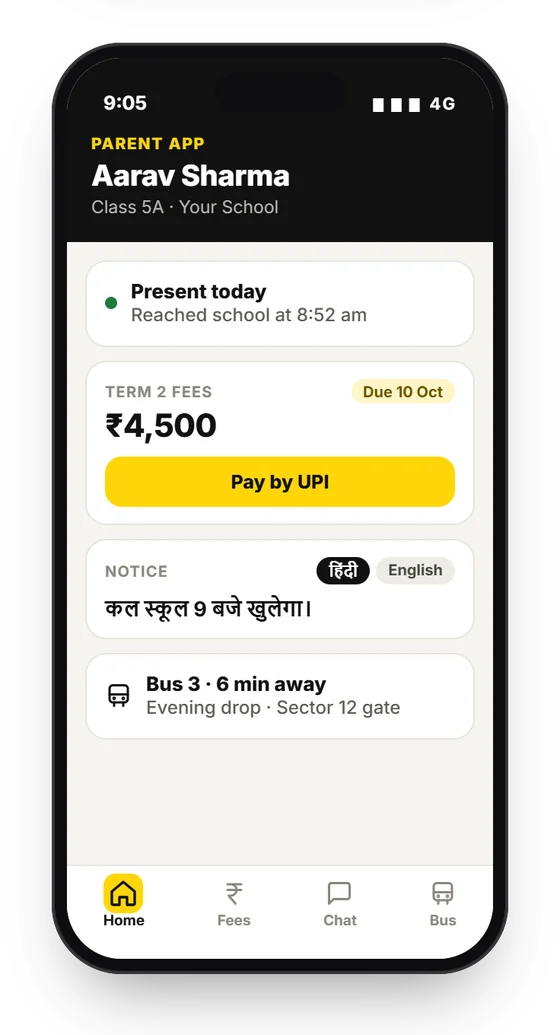
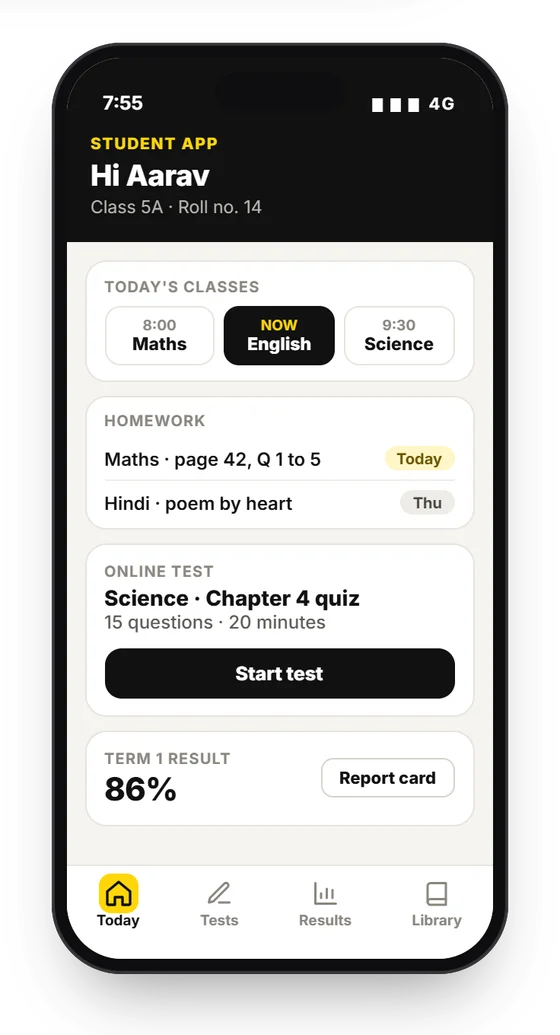
VidyaOne Parent and Student App on Android and iPhone

Parent and Student App

Android and iPhone

Parents and students

  • Attendance alert the same morning
  • Pay fees by UPI and get the receipt
  • Homework, timetable, tests and results
  • Live school bus location
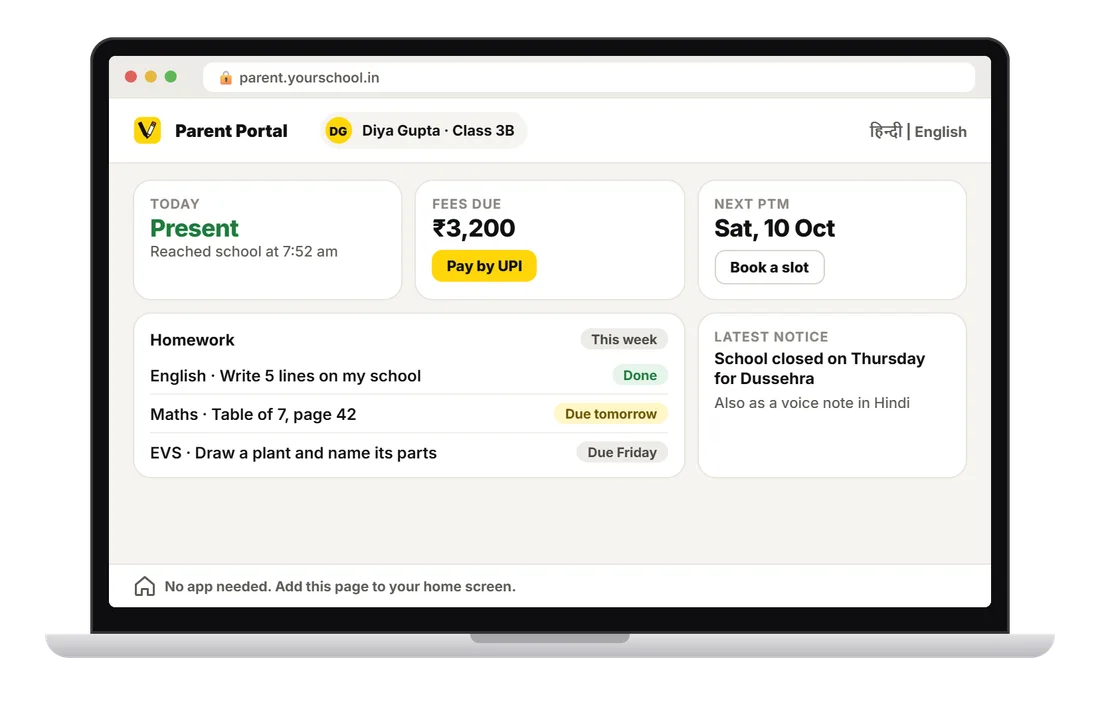
VidyaOne Parent Portal on Web

Parent Portal

Web

Parents who do not want the app

  • Attendance, fees, homework and notices
  • Pay fees by UPI from any phone or laptop
  • Book a PTM slot
  • Hindi or English, nothing to install
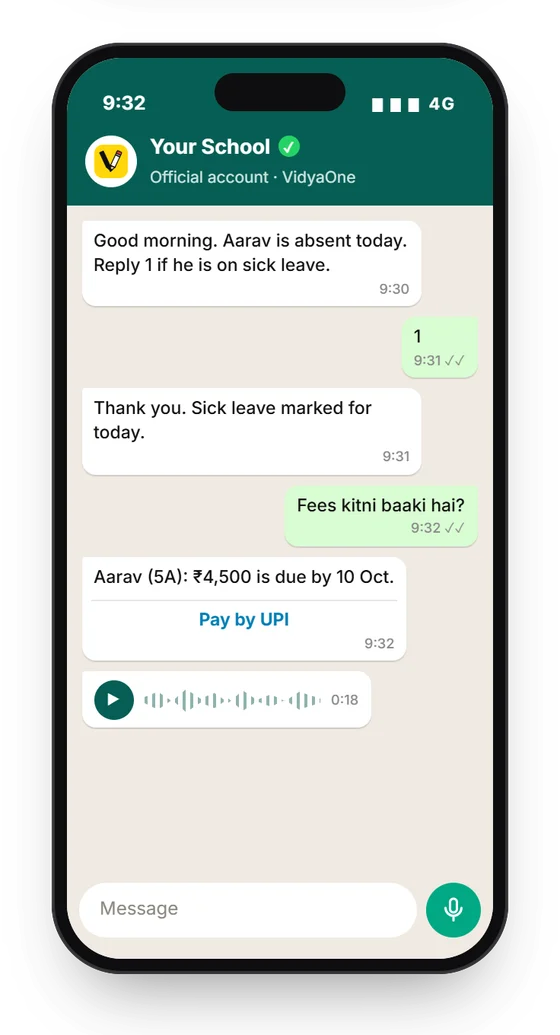
VidyaOne VidyaOne on WhatsApp on WhatsApp

VidyaOne on WhatsApp

WhatsApp

Parents, no install needed

  • Absence alert at 9:30 am
  • "Fees kitni baaki hai?" answered with a UPI link
  • Receipts and notices on WhatsApp
  • Voice notes in Hindi for every notice

Bus and website

The school bus and the school's own website
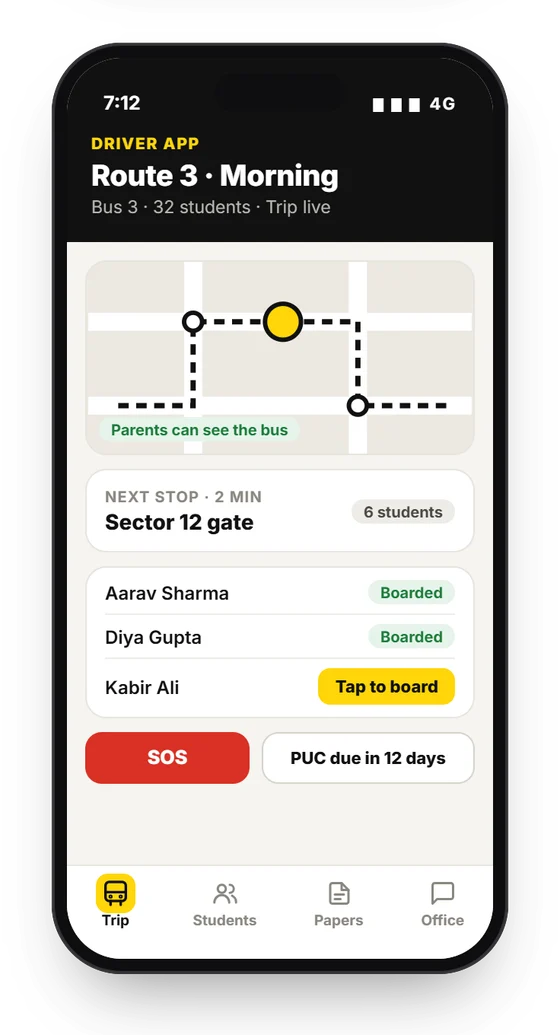
VidyaOne Driver App on Android

Driver App

Android

Bus drivers and attendants

  • Route and stops for each trip
  • Tap when each child boards or gets off
  • Live location shared with parents
  • SOS button for emergencies
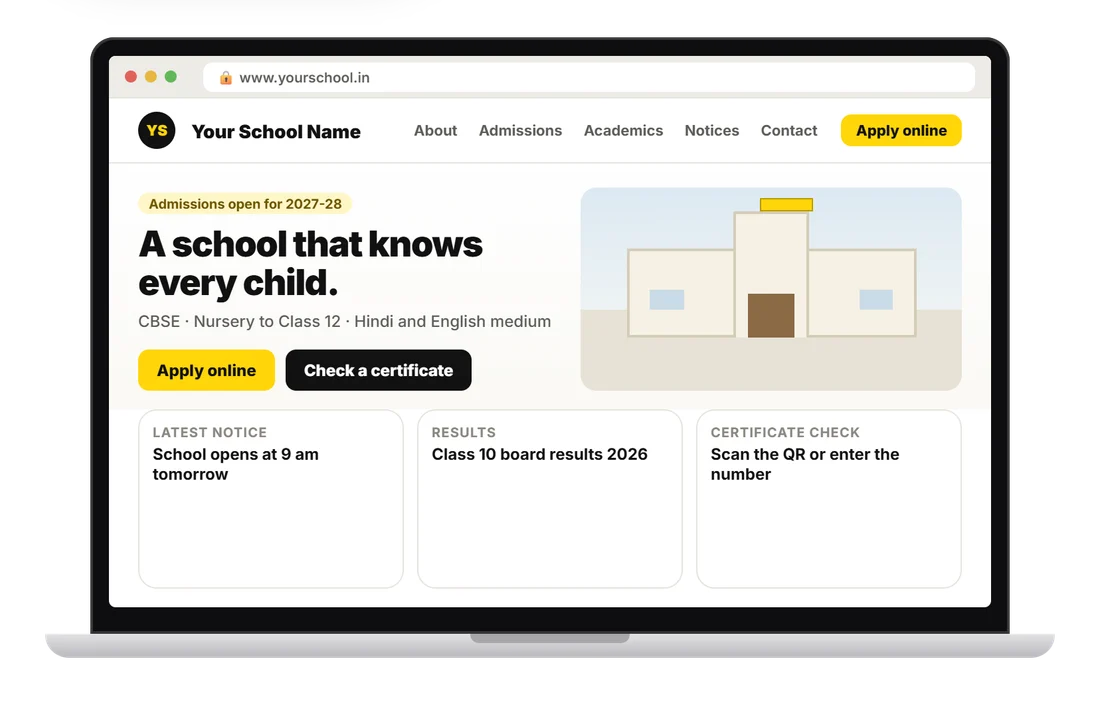
VidyaOne School Website on Web

School Website

Web

Parents and the public

  • The school's own website
  • Online admission form and enquiries
  • Certificate check by QR code
  • Updates itself from the admin ERP

Behind it all

How KVai runs and looks after every school
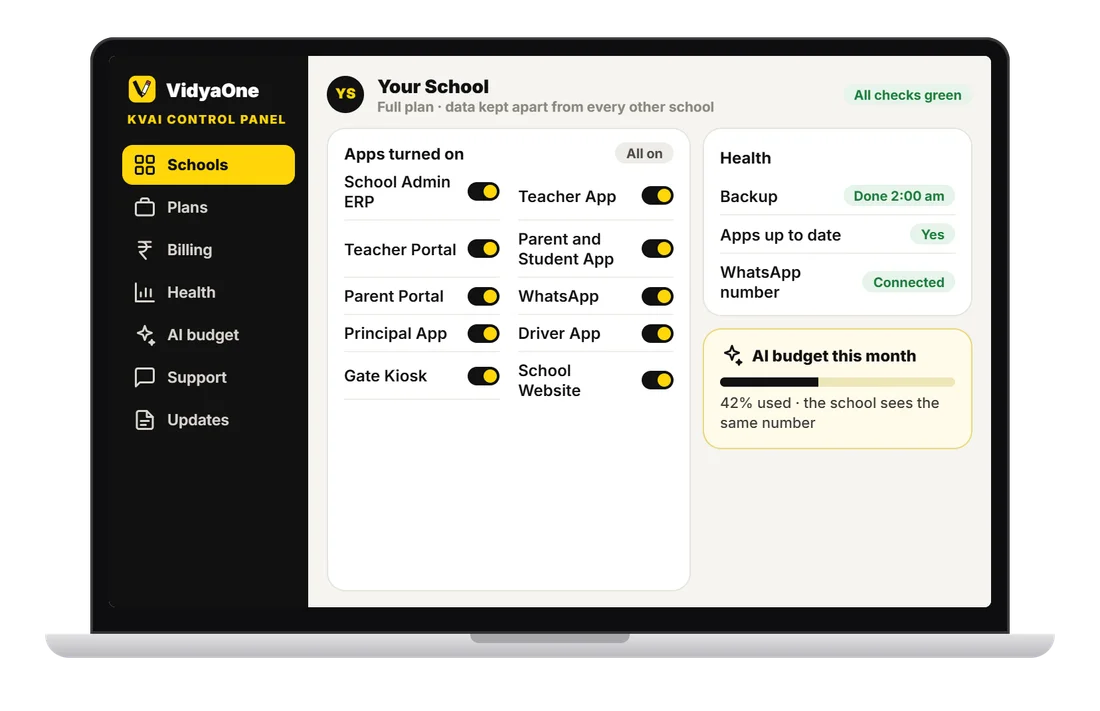
VidyaOne KVai Control Panel on Web

KVai Control Panel

Web

The KVai team

  • Turn each app on or off for a school
  • Daily backup and health checks
  • Plans, billing and support
  • Each school's monthly AI budget

30 jobs AI does

The repeat work, done for the staff

Every task below runs inside VidyaOne. The school picks how much each one does on its own.

  • Admission#1

    Reads Aadhaar, birth certificate and old TC from a photo and fills the form.

    L2
  • Admission#2

    Scores each enquiry, sends follow-ups and tells the counsellor whom to call today.

    L3
  • Attendance#3

    Teacher speaks: "7B, all present except Rahul and Sana". Attendance is marked.

    L3
  • Attendance#4

    Face or QR scan at the gate marks arrival.

    L4
  • Attendance#5

    Absence alert to the parent in their language on WhatsApp.

    L4
  • Attendance#6

    Flags a student absent 3 days in a row or every Monday.

    L1
  • Timetable#7

    Builds the full timetable from teacher load, rooms and rules.

    L2
  • Timetable#8

    Teacher on leave: picks a free teacher of the same subject and tells both.

    L3
  • Classwork#9

    Teacher types one line. AI writes the full homework with a worksheet.

    L2
  • Classwork#10

    Copy check: reads a notebook photo and marks done, not done or wrong. Teacher confirms.

    L2
  • Classwork#11

    Weekly lesson plan mapped to the board syllabus and the days left.

    L2
  • Exams#12

    Question paper from a blueprint: chapters, marks and difficulty, with the answer key.

    L2
  • Exams#13

    Marks entered from a photo of the award sheet or OMR.

    L3
  • Exams#14

    Finds marks that look wrong: 95 in one subject and 12 in the next.

    L1
  • Exams#15

    Writes a report card remark for each student from marks, attendance and behaviour.

    L2
  • Fees#16

    Finds who usually pays late and reminds them earlier, at the time they usually pay.

    L3
  • Fees#17

    Matches bank and UPI statement lines to students and issues receipts.

    L3
  • Fees#18

    Parent asks on WhatsApp "fees kitni baaki hai?" and gets the amount with a pay link.

    L4
  • Accounts#19

    Reads a bill photo, fills the expense entry and picks the head.

    L2
  • Accounts#20

    Flags odd entries: a duplicate bill or a receipt cancelled after cash was taken.

    L1
  • Accounts#21

    Salary built from attendance, leave and deductions.

    L3
  • Office#22

    Writes the notice, puts it in Hindi and the regional language and makes a voice note.

    L2
  • Office#23

    Parent asks for a bonafide or TC. The draft is made. The principal signs with a tap.

    L3
  • Office#24

    Checks data before a UDISE+ or board export and lists what is missing.

    L1
  • Campus#25

    Best bus routes and stops from student addresses. Live arrival time for parents.

    L2 / L4
  • Campus#26

    Spots low stock in the library and store. Drafts the purchase order.

    L2
  • Principal#27

    Joins attendance, marks, fees and behaviour into one risk flag per student.

    L1
  • Principal#28

    Morning brief at 8 am: attendance, fees, staff on leave and 3 things to decide.

    L4
  • Principal#29

    Ask anything: "Class 9 ka maths result pichhle saal se kaisa hai?" The answer comes with a chart.

    L1
  • Principal#30

    Rule builder: the school makes its own "when this happens, do that" without code.

    L3 / L4

You stay in charge

The school decides how much AI does

Every AI task runs at one of four levels. The school picks the level for each task.

L1

Suggest

AI shows an insight. Nothing changes.

For example: 12 students may miss the fee date

L2

Draft

AI prepares it. A person edits and sends.

For example: Remarks drafted for 40 students

L3

Approve

AI prepares it and waits. One tap sends.

For example: Substitute plan for tomorrow

L4

Auto

Runs by itself. Logged. Can be undone.

For example: Absence alert at 9:30 am

How one AI task runs

  1. 1

    Something happens

    Attendance saved, a fee falls due or a leave is approved.

  2. 2

    Simple rules first

    Plain rules run here. No AI cost.

  3. 3

    AI only when needed

    Only for language, photos or judgement.

  4. 4

    Waits for a person

    Draft and Approve tasks wait for one tap.

  5. 5

    Action

    WhatsApp, SMS, app alert, PDF or a saved record.

  6. 6

    Written in the log

    Who approved it, what was sent and an undo button.

38 modules

Everything a school runs on

From the admission form to the TC. In 8 groups.

Students

5
  1. 01Admissions and enquiries
  2. 02Student profiles
  3. 03ID cards
  4. 04Health records
  5. 05APAAR ID and RTE quota

Classroom

6
  1. 06Attendance
  2. 07Timetable and substitutes
  3. 08Homework
  4. 09Lesson plans and syllabus
  5. 10Copy check
  6. 11Pre-primary daily care

Exams

5
  1. 12Exam datesheet
  2. 13Question paper builder
  3. 14Online tests
  4. 15Marks from a photo
  5. 16Report cards

Fees and accounts

5
  1. 17Fee collection and receipts
  2. 18UPI and bank auto-match
  3. 19Concessions
  4. 20Accounts and expenses
  5. 21Fee reminders

Staff

3
  1. 22Staff records
  2. 23Staff attendance and leave
  3. 24Payroll

Communication

5
  1. 25Notices in any language
  2. 26WhatsApp bot
  3. 27Parent-teacher chat
  4. 28PTM booking
  5. 29Surveys and feedback

Campus

6
  1. 30Transport and live bus
  2. 31Gate pass
  3. 32Visitors
  4. 33Library
  5. 34Hostel
  6. 35Inventory and assets

Documents

3
  1. 36Certificates: TC and bonafide
  2. 37QR certificate check
  3. 38UDISE+ and board exports

Made for Indian schools

Hindi, UPI, WhatsApp and UDISE+ from day one

1

Hindi and the regional language

Notices and alerts go out in the parent's language. A Hindi voice note goes with every notice.

2

UPI fees with receipts

Parents pay by UPI. Bank and UPI lines are matched to the right student and the receipt goes out.

3

WhatsApp, two-way

Parents ask on WhatsApp and get the answer. Nothing to install.

4

UDISE+, APAAR and RTE

The fields are already there. Data is checked before an export.

5

Works on a weak network

Attendance and marks work offline and sync later.

6

Pre-primary daily care

A daily care record for nursery and KG classes.

7

Consent under the DPDP Act

Parent consent for photo, face and WhatsApp is recorded.

8

Set up for you

Hosting, app publishing and staff training are done by KVai.

Our rules for AI and children's data

  • A person approves anything that touches marks, money or parents.
  • AI never decides admission, pass or fail, discipline or a concession.
  • Every AI action is logged with who approved it.
  • Every auto action can be undone.
  • Children's data stays in India. It is never used to train an AI model.
  • Parent consent is recorded for photo, face and WhatsApp.
  • AI reads only that school's data. It sees only what the person asking is allowed to see.
  • Each school has a monthly AI budget. It shows on the dashboard.

Good to know

VidyaOne: your questions

VidyaOne is a school ERP made by KVai Solutions. It puts admissions, attendance, fees, exams, staff, transport and parents in one login, with 11 apps for the school, teachers, parents, students and drivers. AI does the repeat work and the school staff only check and approve.

Your competitors won't wait. Neither should you.

Ready to grow your business?

Let's build something extraordinary. Book your free consultation and get a clear, no-pressure growth plan.

WhatsApp Book Free Consultation
Sketch pad
Colour
Brush6px

Doodle anywhere: it clears on refresh.